Picking a TV streaming service can feel like a gamble. Some providers look impressive on paper but freeze the moment a big match starts, while others hide important limits in the small print. In this guide the tooviewers team explains how subscriptions work, what you should expect to get, and the nine checks we recommend before you pay anyone, including us.
What a TV Streaming Subscription Actually Is
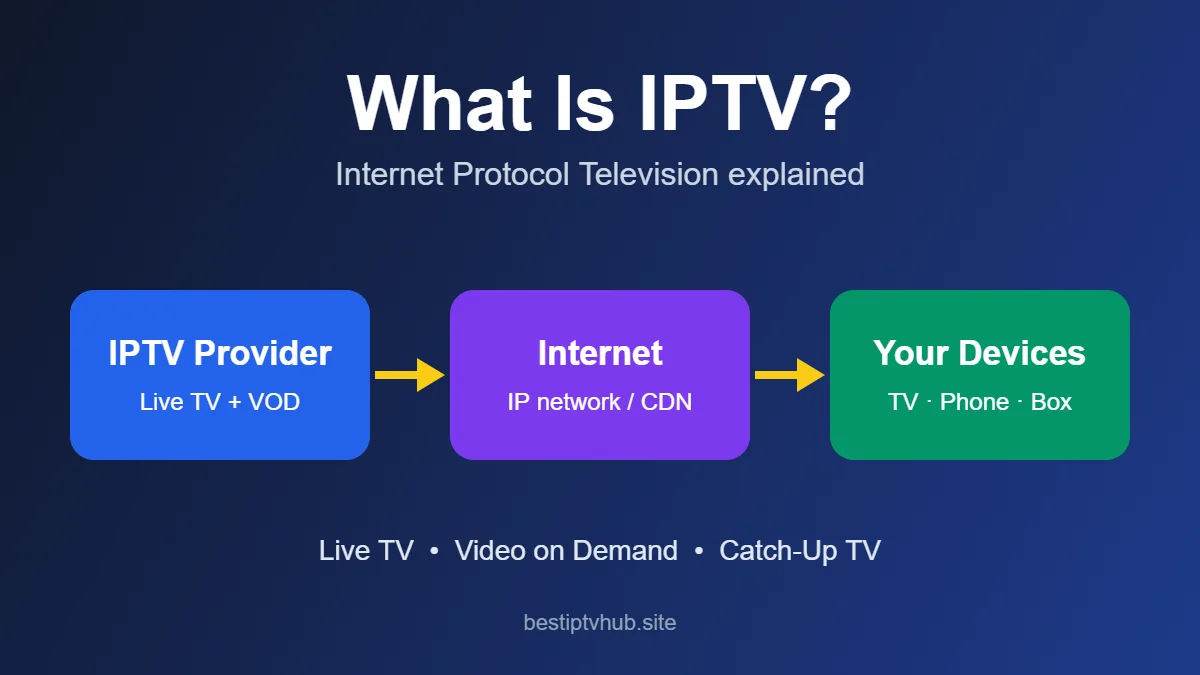
A streaming subscription gives you access to live channels and an on-demand library over your internet connection instead of a satellite dish or cable line. You install a player app on your TV, stick, phone or computer, enter the login details from your provider and the channel list appears. With tooviewers, that list includes live sport, news, entertainment, kids’ channels and a large catalogue of films and series in HD, Full HD and 4K.
How It Works Behind the Scenes
The provider receives TV signals, converts them into compressed video streams and sends them from servers to your device. Your player app requests the channel you select and plays it within a second or two. The quality of the servers, the number of viewers they handle and the route between the server and your home all affect how smooth your picture is. This is why two services with similar channel lists can feel completely different in daily use.

Streaming Subscription vs Cable vs Separate Apps
| What matters | Cable or satellite | Several streaming apps | tooviewers |
|---|---|---|---|
| Installation | Engineer visit, dish or box | One app per service | One player app, minutes to set up |
| Live sport and news | Yes, often in costly add-ons | Limited and split across apps | Included in every plan |
| Films and series | Limited on-demand | Spread over many subscriptions | One on-demand library |
| Contracts | Usually 12 to 24 months | Monthly, each billed separately | 3, 6 or 12 months, no lock-in |
| Devices | Mainly the TV box | Varies per app | TV, Firestick, Android, iPhone, PC, MAG |
What You Should Get for Your Money
- A large, well-organised list of live channels with a working TV guide (EPG)
- An on-demand section with films and complete series
- Picture quality that matches your screen, up to 4K where available
- Support for the devices you already own
- Clear plan lengths and a way to test the service first
- Fast, human support when something goes wrong
Every tooviewers plan includes all of the above. The only difference between plans is how long they last.
9 Checks Before You Choose a Subscription
1. Start With a Free Trial
A trial is the most honest test there is. tooviewers offers a free 24-hour trial on WhatsApp so you can try the channels on your own devices and internet connection before spending anything.
2. Watch During Peak Hours
Any service looks good at 10am on a Tuesday. Test in the evening or during a major live match, when servers are busiest, to see how the stream really behaves.
3. Look Through the Channel List and Library
Check that the channels you care about are there, especially sport and channels from your home country, and browse the on-demand section for the films and series you like.
4. Ask About Anti-Freeze Technology
Good providers invest in stable servers and buffering protection. Ask what they use and test it. tooviewers uses anti-freeze technology to keep channels steady during busy moments.
5. Make Sure Your Devices Are Supported
Confirm the service works on your Smart TV brand, streaming stick, phone or MAG box. If you are unsure, send the model to support and ask before buying.
6. Choose the Right Number of Screens
Think about how many people will watch at the same time. Multiple-device options are available on request with tooviewers, so the whole household can be covered.
7. Read Genuine Reviews
Look for real customer feedback rather than generic star ratings. On our homepage we show screenshots of real WhatsApp messages from tooviewers customers, with personal details hidden.
8. Contact Support Before You Pay
Send a question and see how quickly and clearly you get an answer. The way a provider treats you before the sale is a good sign of how it will treat you afterwards.
9. Understand Payment and Renewal
Check which payment methods are accepted and how renewal works. tooviewers accepts cards, PayPal and cryptocurrency, and you simply message us before your plan ends to renew.
What Internet Speed Do You Need?
| Quality | Recommended stable speed |
|---|---|
| SD | 5 Mbps |
| HD / Full HD | 10 Mbps |
| 4K | 25 Mbps or more |
A wired Ethernet connection is more reliable than Wi-Fi, especially for 4K. If you must use Wi-Fi, keep the router close to your TV or streaming stick.
Setting Up on the Most Popular Devices
Amazon Firestick
Install a compatible player app (for example through the Downloader app), open it and enter your tooviewers login details.
Samsung and LG Smart TVs
Download a supported player from your TV’s app store, note the MAC address shown on screen and send it to us so we can activate it.
Android TV Boxes and Phones
Install IPTV Smarters or TiviMate from the Play Store or by APK, then log in with the details we send you.
iPhone, iPad and Apple TV
Get a compatible player from the App Store and sign in with your tooviewers credentials.
Windows and Mac
Download the desktop version of a supported player, add your account and start watching on your computer.
Common Problems and Quick Fixes
- Buffering: switch to a cable connection, restart the router and close bandwidth-heavy apps.
- Login refused: check for typing mistakes and make sure your plan is still active.
- Missing guide (EPG): refresh or reload the EPG inside your player app.
- Channel not loading: try another channel, then restart the app; if it persists, tell support.
Frequently Asked Questions
What do I need to get started?
A supported device, a stable internet connection and your tooviewers login details. Setup usually takes a few minutes.
Can one subscription work on several devices?
You can install it on several devices; the number that can watch at the same time depends on your plan.
Is sport included?
Yes. Live sport is part of every tooviewers plan, although availability can vary by region.
Is a 12-month plan better value than 3 months?
Longer plans usually cost less per month, so they suit viewers who already know they want to keep watching. Shorter plans are ideal if you prefer to start small.
Final Word
The best subscription is the one that stays stable on your devices, carries the channels you actually watch and comes with support you can reach. Use the nine checks above with any provider. When you are ready, compare the tooviewers plans, ask for your free trial, or read more guides on the tooviewers blog.